 VINTA
Before & after · FXN
The Fuji film look on iPhone, before & after
Ask people what “Fuji film” looks like and they describe the same thing: clean colour that isn't loud, shadows that sink a little deeper and lean green, and skin that still looks like skin. Here are six ordinary phone photos developed in Vinta with the FXN camera. Drag each slider to see what changes.
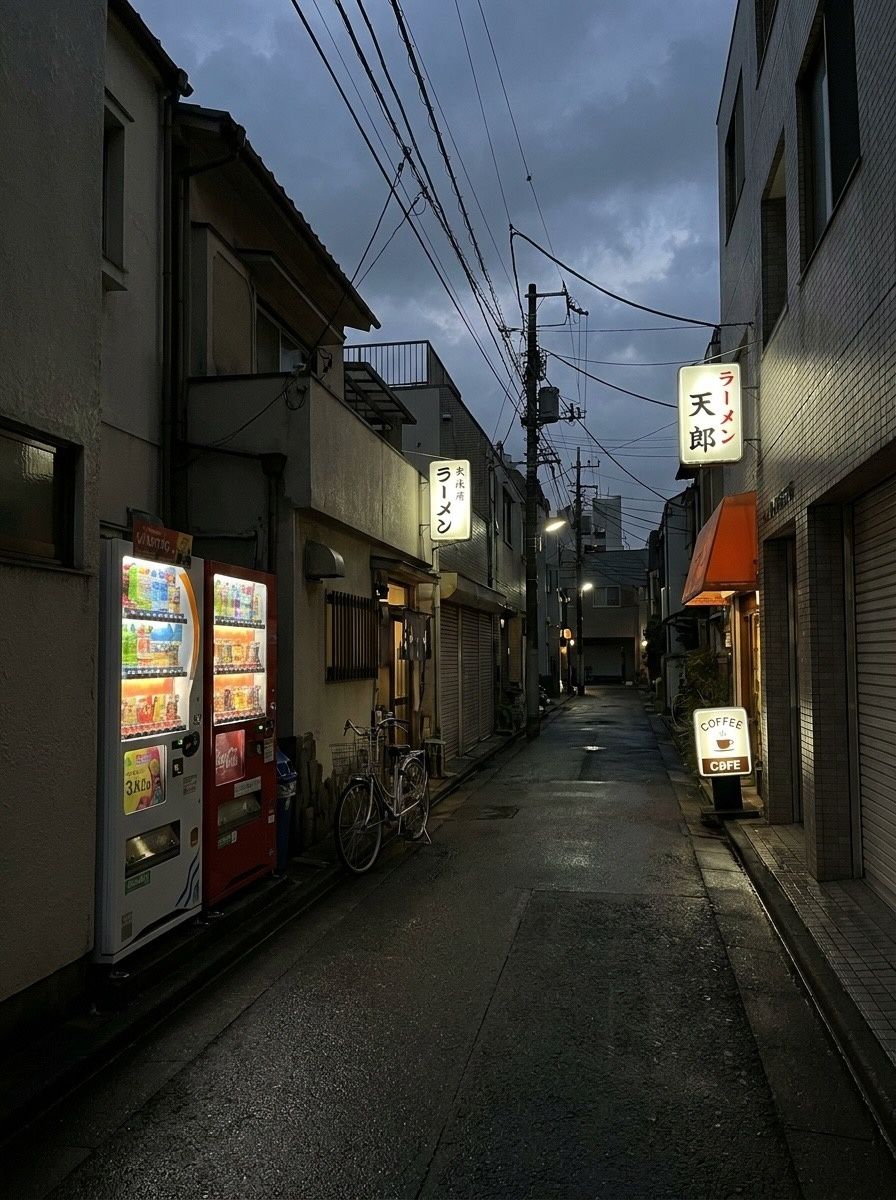
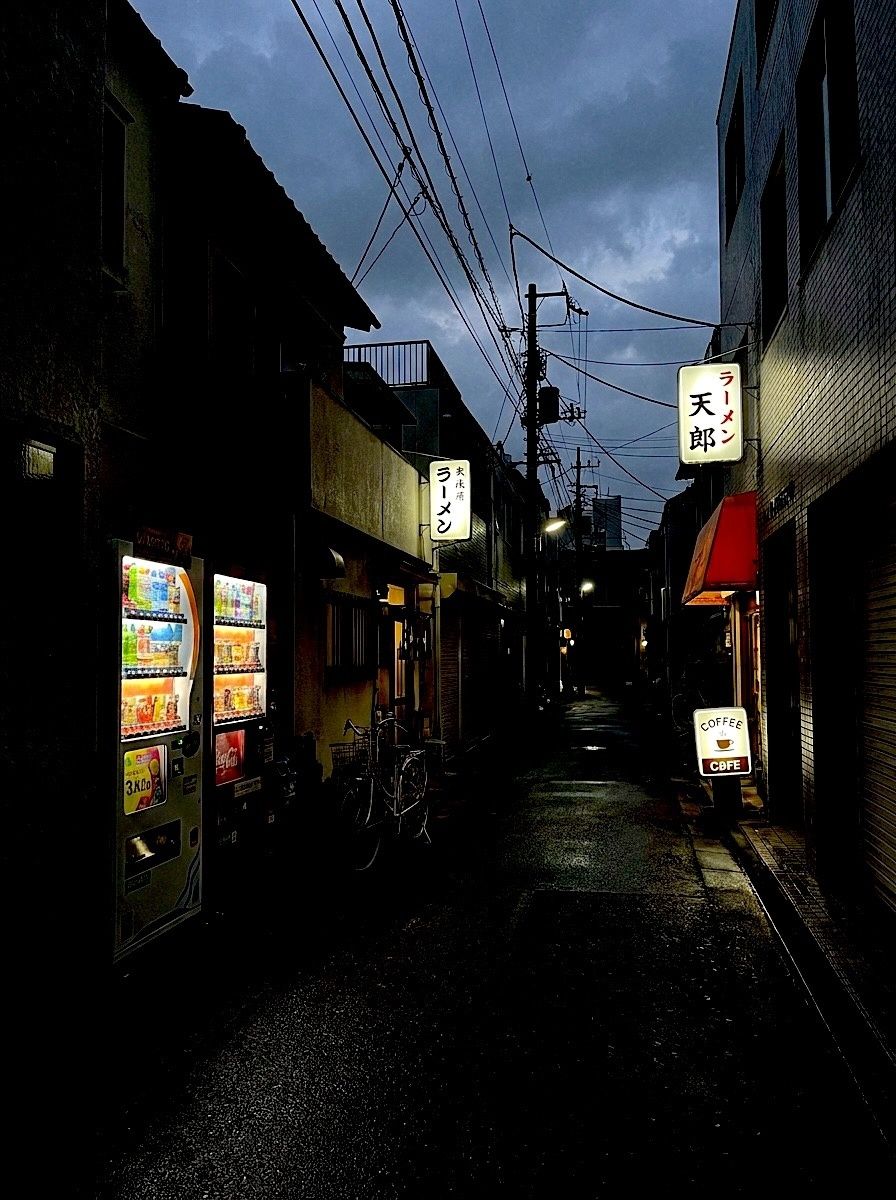 BeforeAfter · FXN
In this post
- What people mean by “the Fuji look”
- Six before & afters
- When FXN works best (and when it doesn't)
- How to get the look in Vinta
What people mean by “the Fuji look”
When photographers talk about the Fuji look they usually mean the colour of the consumer colour-negative films sold in the 1990s and 2000s, printed and scanned on the minilab machines most photo shops used back then. Those films and scans had a recognisable signature: greens that stay green rather than drifting yellow, blues that tip slightly towards cyan, contrast with some bite, and shadows that pick up a cool, green-grey tint instead of going warm and muddy.
The easiest way to see it is to compare it with the other famous consumer-film look — the warmer, golden, slightly yellow cast people associate with Kodak stocks. If Kodak is a late summer afternoon, the Fuji look is a clear morning: a touch cooler, a touch crisper.
Your iPhone does almost the opposite. Smart HDR lifts every shadow, flattens contrast and balances colour to “correct”. That's great for a receipt and a little lifeless for a memory. FXN — Vinta describes it as a crisp green-shadow classic — puts the depth back.
FXN in one line: deeper, cleaner shadows with a cool green lean, richer greens and reds, highlights kept under control, skin tones left natural.
Six before & afters
Each pair is the same photo: the left side is the phone original, the right side is FXN. Nothing else was edited.

 BeforeAfter · FXN

 BeforeAfter · FXN

 BeforeAfter · FXN

 BeforeAfter · FXN

 BeforeAfter · FXN
When FXN works best (and when it doesn't)
Use it for: travel and street photos, anything green (parks, gardens, forests), overcast days that need some life, dusk and city lights, and portraits where you want skin to stay natural.
Try something else when: the scene is already very dark (FXN deepens shadows, so a dim bar can turn into black — use a flash look like DISPOSABLE-1 instead), or when you want the warm, golden, nostalgic feel — OFM or S CLASSIC will get you there.
Other cameras with a cool, Fuji-ish lean
CLASSIC U
The everyday all-rounderA gentler version of the same idea for photos you'll take every day.
DQS
Soft creamy disposableA softer, creamier disposable look — see it on a café table in the disposable guide.
INST C
Classic instant printIf what you love is the credit-card-sized instant print, start with the instant film guide.
CCD
Y2K digicam tealNot film at all: the cool, crisp look of a 2005 pocket camera. See the digicam guide.
How to get the Fuji look in Vinta
- Pick a camera
Open Vinta and tap the camera button at the bottom right. The drawer lists every camera with a one-line description of its look.
- Shoot or import
Press the shutter to shoot with the look applied live, or tap the import button to bring in a photo you've already taken.
- Develop & save
On the Develop Photo screen, swipe through the cameras to preview each look on your photo, then tap Develop & Save. It lands in your Photos library, with no watermark.
Tip: FXN is applied live in the viewfinder too, so you can shoot with it directly and see the shadows before you press the shutter.
FAQ
Is there a free Fuji film filter for iPhone?
Yes. Vinta is free on the App Store and the FXN camera is included. Exports are full quality with no watermark.
Can I add the Fuji look to photos I've already taken?
Yes. Tap the import button in Vinta, pick a photo from your library and choose FXN on the Develop Photo screen. You can preview every other camera on the same photo before you save.
What is the difference between the Fuji look and the Kodak look?
Broadly, the Fuji look leans cooler and greener with crisp contrast, while the look people associate with Kodak leans warmer and more golden. In Vinta, FXN is the cooler option; OFM and S CLASSIC sit on the warmer side.
Is Vinta made by Fujifilm?
No. Vinta is an independent app and isn't affiliated with or endorsed by Fujifilm. FXN is Vinta's own look, named in our own way.
Does FXN work for video?
FXN is a photo camera. For video, Vinta has separate camcorder looks such as V CLASSIC and V FUNS.
About these photos: the “before” images are AI-generated stand-ins for everyday phone snapshots, made so we could show the same scenes across many cameras without using anyone's personal photos. Every “after” is the unedited output of Vinta developing that image on the date of this post — no extra editing, no cherry-picked presets.
Fujifilm and Kodak are trademarks of their respective owners. They're mentioned here only to describe a photographic style; Vinta isn't affiliated with or endorsed by either company.
More before & afters
-

 DISPOSABLE-1
Before & after · Disposables
Disposable camera filter: flash, grain, date stamp
Harsh flash, warm grain, light leaks and the orange date stamp. Five photos, five disposables.
-

 CCD
Before & after · CCD
The Y2K digicam look, before & after
Cool, crisp and lit by a tiny flash: the 2006 pocket camera look, four ways.
-

 PAF
Before & after · Instant
Instant film filter: real prints from phone photos
Classic mini, square and peel-apart: three instant formats, white border included.